User Experience and Acceptance of Mechatronic Gait Training Among Older Adults
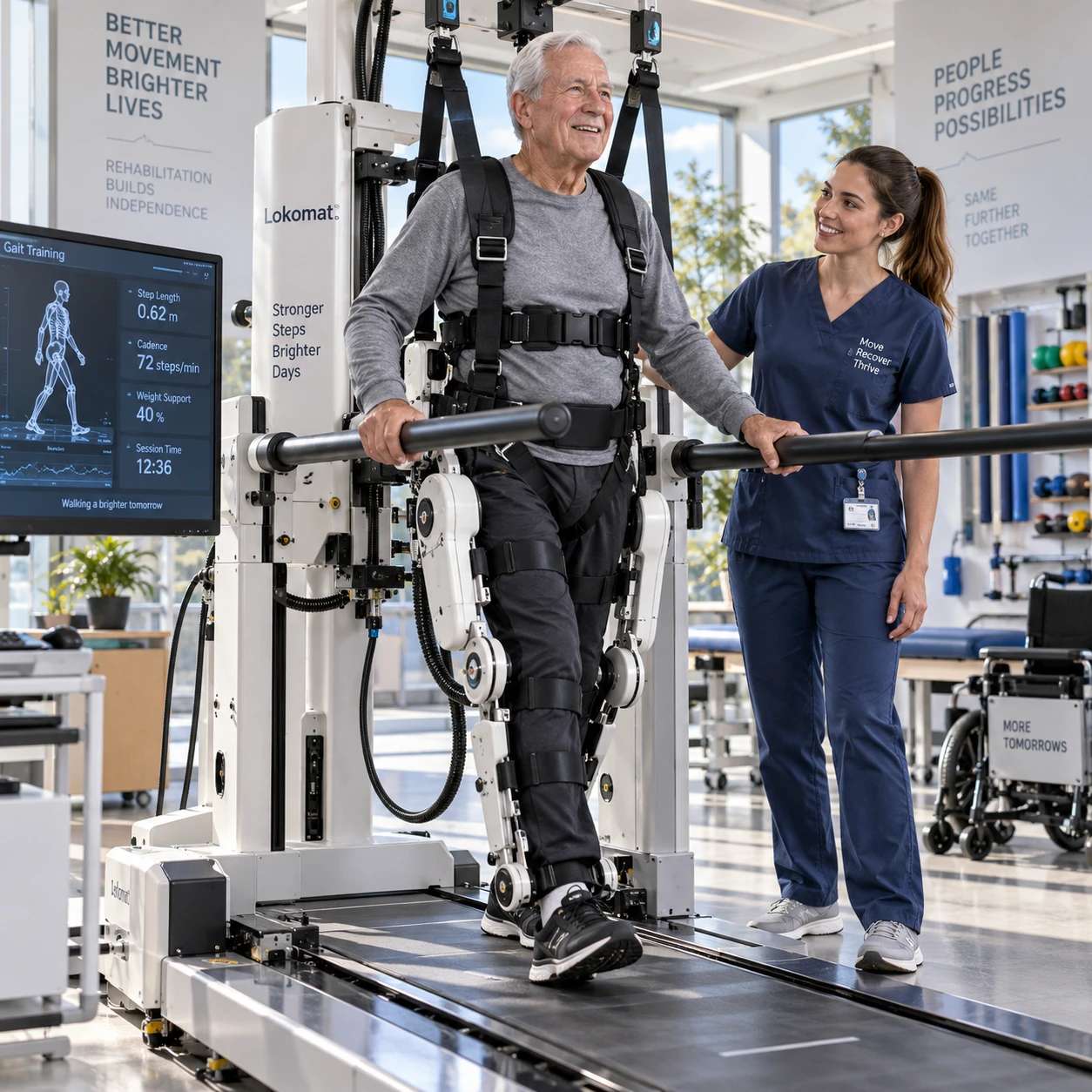
Mechatronic gait-training systems can add structured, technology-supported practice to gait rehabilitation. Whether an older adult is willing and able to use one depends on more than the device itself: comfort, confidence, accessibility, personal goals, and support from clinicians all shape the experience.
Acceptance also needs to be distinguished from clinical effectiveness. A person may find a system easy to use without showing a measurable improvement in walking, while another may benefit from training but dislike the setup. Understanding both sides helps researchers and care teams make informed choices.
What mechatronic gait training involves
Mechatronic gait training uses mechanical components, sensors, and control software to support or guide walking practice. In gait rehabilitation, systems may include treadmill-based devices, robotic assistance, body-weight support, or sensors that provide feedback about movement.
The technology varies. Some systems help move a user’s legs through a walking pattern; others provide balance support, measure steps, or give visual and auditory feedback. The level of assistance and the task depend on the device, the person’s abilities, and the rehabilitation plan.
Compared with conventional training, a mechatronic system may offer repeatable practice and record selected movement data. Those features can help clinicians structure sessions, but they do not make the device a substitute for professional judgment. A therapist still needs to select appropriate tasks, adjust support, monitor responses, and relate the activity to the person’s everyday goals.
It is also important to avoid assuming that every system suits every user. A treadmill-based device may not match someone’s balance needs or preferences, and a sensor-based program may require attention, vision, or dexterity that a user finds challenging. The relevant question is whether the system fits the rehabilitation purpose and the person using it.
Why user experience matters in older-adult gait training
User experience matters because physical, sensory, and cognitive differences can change how an older adult interacts with a gait-training system. A usable, reassuring session can support participation; a confusing or uncomfortable one may make continued use difficult.
Older adults are not a uniform group. One person may walk independently but have limited stamina; another may use a mobility aid, have pain, or need extra time to understand instructions. Hearing, vision, sensation, memory, and confidence can also vary, sometimes from day to day.
These differences affect practical details: whether a person can step into a harness, see a display, hear a prompt, or tolerate a session’s duration. Even a technically reliable device can create a poor experience if straps press on sensitive areas, instructions arrive too quickly, or the user feels rushed. The design should account for comfort, comprehension, and control, not only whether the equipment operates as intended.
Patient engagement is another part of the experience. People are more likely to take part when they understand why a task matters and can connect it to a personal aim, such as walking safely to the dining room. Clinician support helps make that connection and gives users a way to voice concerns or pause when needed.
Factors that influence acceptance
Acceptance depends on whether an older adult sees the system as useful, manageable, comfortable, and safe. Personal preference and prior experience with technology also matter, so no single design feature guarantees willingness to use a device.
Perceived usefulness is often tied to a clear rehabilitation goal. A user may be more receptive when the clinician explains how a particular exercise relates to stepping, balance, or walking endurance. Vague promises of improvement can undermine trust, especially when progress is gradual.
Ease of use includes more than operating a screen. It covers getting into position, understanding prompts, starting and stopping, and knowing what to do if something feels wrong. A system can be technically simple yet feel demanding if setup is tiring or instructions are hard to hear.
Comfort and confidence are closely linked. A stable harness may reassure one user but feel restrictive to another. Noise, heat, pressure, fatigue, fear of falling, and concern about being watched can all influence the session. Personal preferences matter too: some people enjoy feedback and measurable goals; others prefer conversation and less attention on performance metrics.
Safety perception should be treated seriously without implying that any technology is risk-free. Users need to know how they are supported, how the clinician monitors them, and how to stop the session. Acceptance is not the same as clinical benefit: it describes a person’s willingness and experience, not proof that a treatment improves outcomes.
Usability and accessibility in practice
Usability and accessibility improve when the equipment is easy to enter, adjust, understand, and use with appropriate support. Small barriers during setup can shape the entire session for an older adult.
Before training begins, clinicians should check that the system fits the person’s body, mobility, footwear, and transfer needs. Harnesses and supports need careful adjustment; controls should be within reach where possible. A fitting that is too tight, loose, or difficult to fasten can cause discomfort or reduce confidence.
Instructions work best when they are brief, spoken clearly, and paired with demonstration. Allow time for questions and practice before increasing task demands. If the system uses a screen, consider text size, contrast, glare, and whether the user can comfortably see it. Audio prompts may need adjustment for hearing differences or a noisy clinic.
- Explain the session’s purpose and how to pause or stop.
- Check transfers, footwear, equipment fit, and any pain or fatigue before starting.
- Give one instruction at a time, then confirm the user understands it.
- Offer a gradual introduction, with support adjusted to the person rather than a default setting.
- Ask about comfort during the session, not only at the end.
Accessibility also includes the environment and workflow. Space around the device, time for setup, and staff availability can determine whether a system is practical in a real clinic. Adding technology may provide consistent practice, but it can also increase preparation time and demands on staff. The implementation should account for both.
How researchers can assess user experience and acceptance
Researchers can assess user experience and acceptance by combining older adults’ feedback with observation and appropriate usability or acceptance measures. Using more than one method helps reveal both what people report and what happens during actual use.
Short interviews or open-ended questions can uncover concerns that a fixed questionnaire misses: a strap that pinches, a confusing prompt, or a sense of achievement after completing a task. Researchers should ask about specific moments, such as setup, walking, feedback, and removal of the equipment, rather than asking only whether participants liked the device.
Observation can document where users hesitate, request help, misunderstand instructions, or need adjustments. Researchers can also record practical indicators such as task completion, assistance required, pauses, and reasons for stopping. These details describe usability; they should not be presented as evidence of clinical improvement on their own.
Questionnaires can help track perceptions of ease, usefulness, comfort, confidence, and intention to continue. Choose measures that fit the study and participant group, and explain how scores will be interpreted. A useful assessment plan distinguishes acceptability (whether people consider the system suitable), usability (how effectively and easily they can use it), and clinical outcomes (such as changes in walking function).
Include participants with varied mobility, sensory, and technology experience, and make participation accessible. A small group of confident technology users may offer valuable feedback, but cannot represent all older adults. Researchers should also report who needed assistance and what adaptations were made.
Improving the experience for older users
To improve the experience, involve older adults and clinicians early, adapt the system to individual needs, and treat feedback as part of routine care. A device should be introduced as one option within a rehabilitation plan, with realistic explanations of its role and limits.
One practical approach is a three-part check: fit, flow, and feedback. Fit asks whether the equipment and environment suit the person. Flow asks whether setup, instructions, and tasks are manageable. Feedback asks whether the user feels informed, respected, and able to communicate discomfort. If any part fails, address it before assuming the person is unwilling or unable to participate.
Start with a brief orientation and a low-demand trial. Explain the purpose, demonstrate the controls, and agree on a signal for stopping. Then ask what felt comfortable, confusing, or tiring. Small changes, such as adjusting a strap, slowing the pace, or simplifying screen information, may improve the next session; they should be made in consultation with the user and care team.
Finally, preserve the human relationship around the technology. Clinician guidance supports safe setup, adapts training, and helps older adults connect practice with meaningful daily activities. Mechatronic gait training is most useful when its design and delivery respect individual preferences, provide accessible support, and are evaluated separately from claims about clinical effectiveness.